Creating charts that are easy to read is essential in any communication material.
Charts and graphs carry the weight of a lot of information, but the audience can't easily skim through them then you are making the conversation harder. Most people skip this step because they think changing the chart means removing information. It doesn't.
This guide keeps everything you need, just sharper and easier to read:
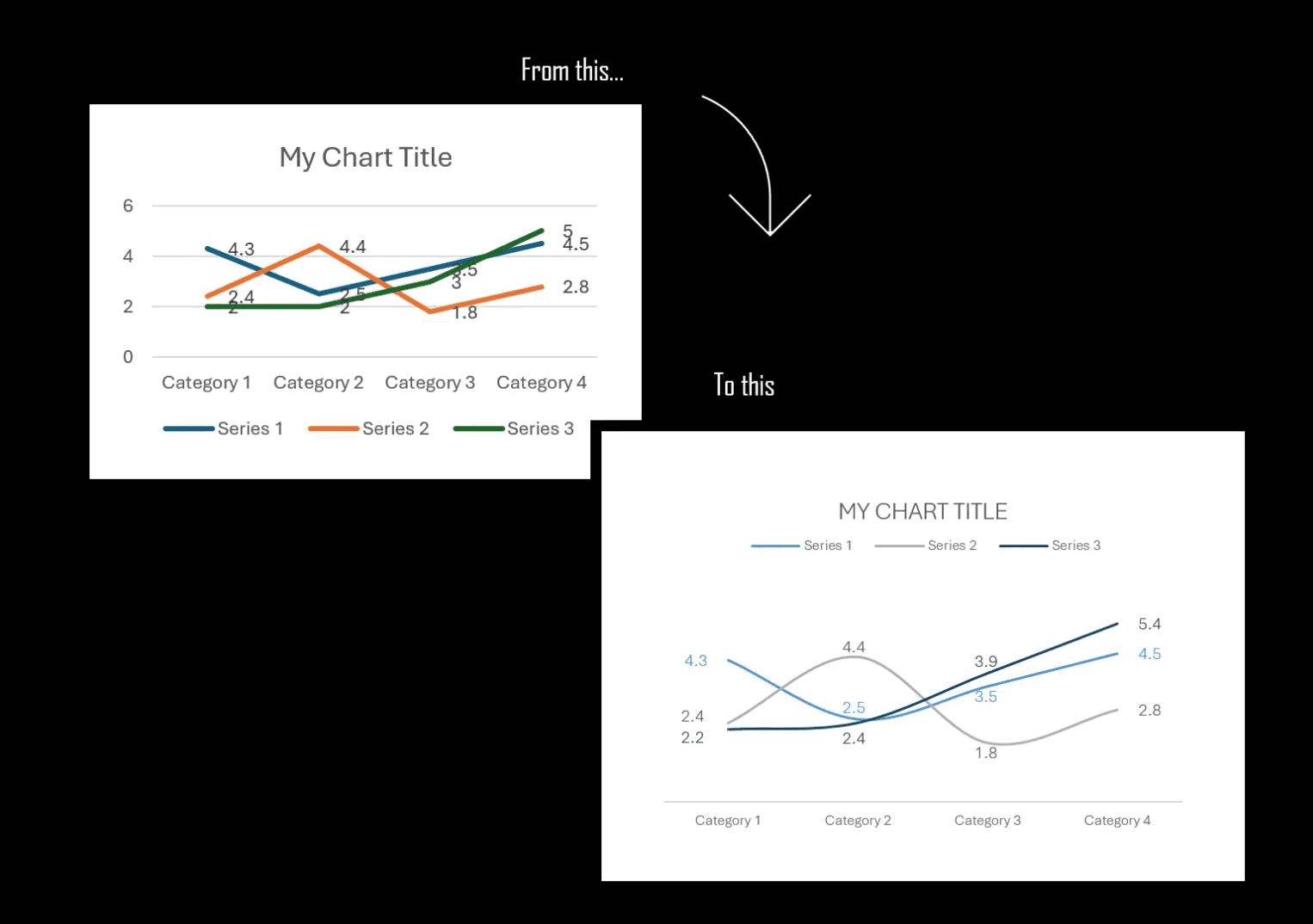
STEP 1: Remove the "extras"
❌ Vertical Axis: Remove it if you aren't showing the axis data points.
❌ Gridlines: Drop them. Nobody really needs them and they create unnecessary noise.
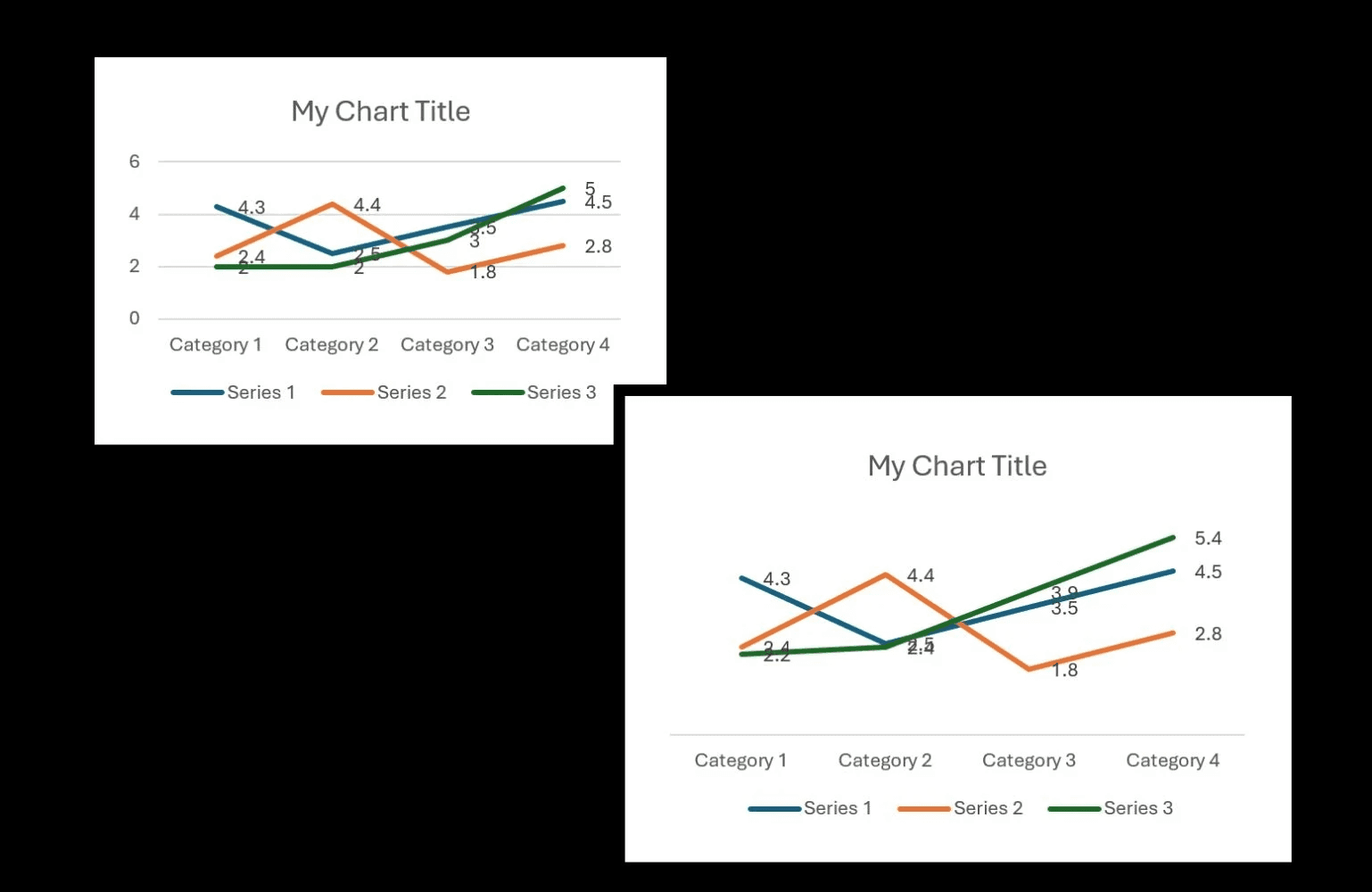
STEP 2: Fix the Layout
📑 𝗟𝗲𝗴𝗲𝗻𝗱: place it on top for a cleaner laddered effect.
📑 𝗗𝗮𝘁𝗮 𝗣𝗼𝗶𝗻𝘁𝘀: First on the left. Last on the Right.
*𝘊𝘦𝘯𝘵𝘦𝘳 𝘵𝘩𝘦 𝘳𝘦𝘴𝘵 & 𝘮𝘢𝘯𝘶𝘢𝘭𝘭𝘺 𝘮𝘰𝘷𝘦 𝘶𝘱/𝘥𝘰𝘸𝘯 𝘢 𝘣𝘪𝘵
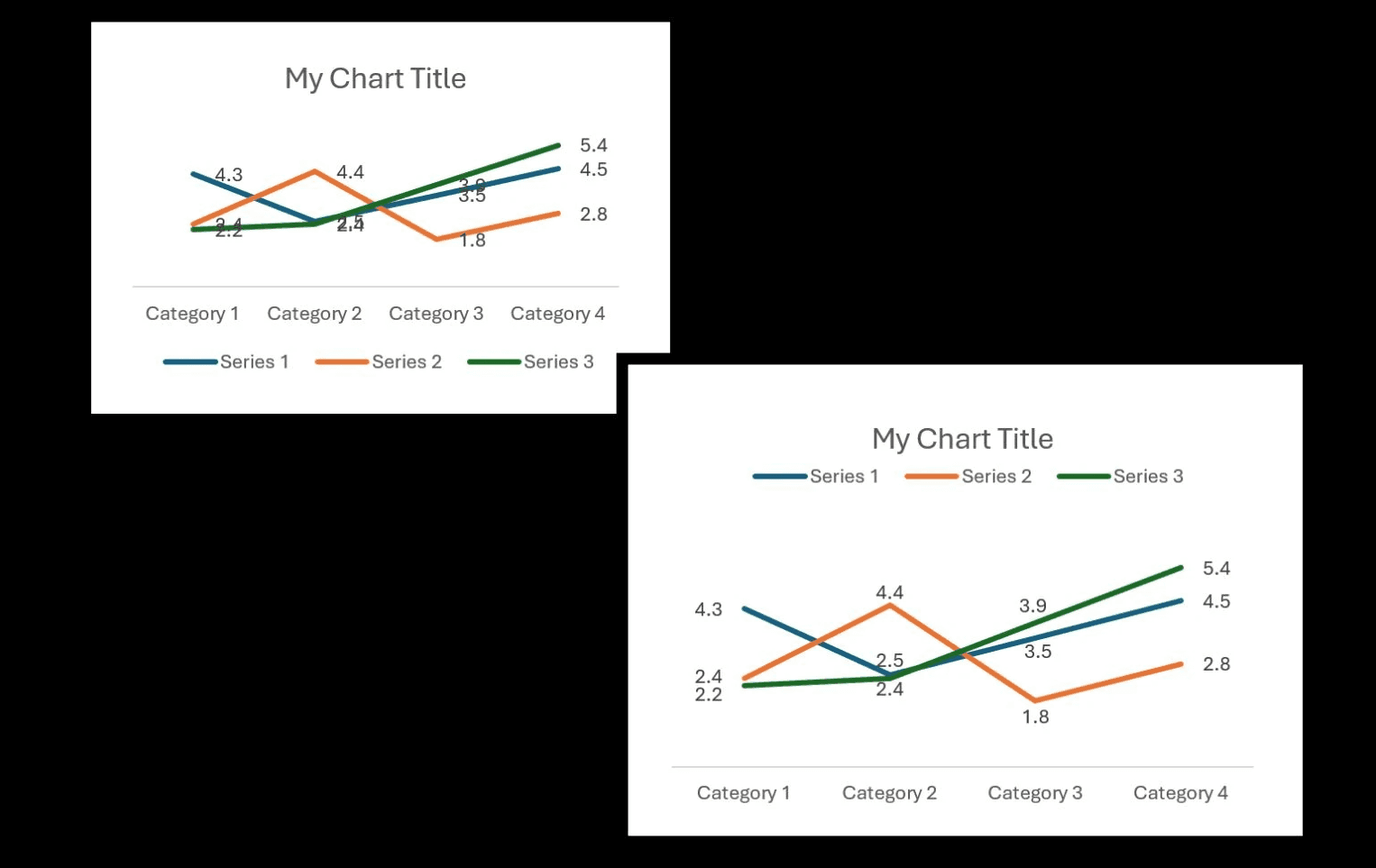
STEP 3: Adjust your fonts
🔠 𝗙𝗼𝗻𝘁: Use a thin Sans Serif (𝘈𝘱𝘵𝘰𝘴 𝘓𝘪𝘨𝘩𝘵 𝘰𝘳 𝘊𝘦𝘯𝘵𝘶𝘳𝘺 𝘎𝘰𝘵𝘩𝘪𝘤).
🔠 𝗧𝗶𝘁𝗹𝗲: Change all to uppercase for better visual structure.
🔠 𝗦𝗶𝘇𝗲: Go to a smaller font size to fit everything neatly
(general rule, you can go as low as 8pts depending on font type).
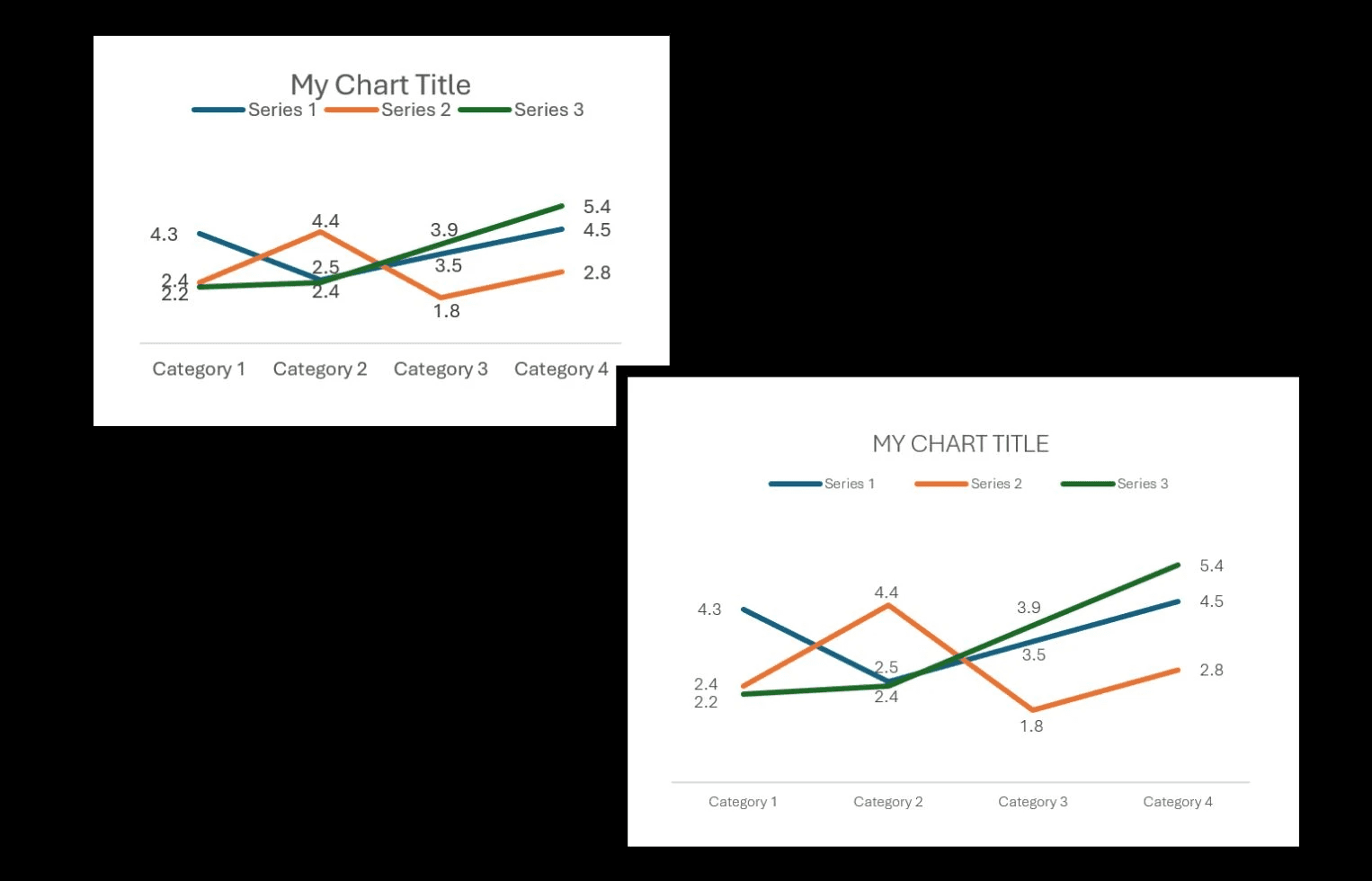
STEP 4: Redesign the Visual Elements
📈 𝗖𝗼𝗹𝗼𝗿𝘀: 3 tones max, neutrals or same-color families
𝘜𝘴𝘦 𝘴𝘢𝘮𝘦 𝘤𝘰𝘭𝘰𝘳 𝘰𝘳 𝘥𝘢𝘳𝘬𝘦𝘳 𝘧𝘰𝘳 𝘥𝘢𝘵𝘢 𝘱𝘰𝘪𝘯𝘵𝘴.
📈 𝗟𝗶𝗻𝗲: smooth it out in the formatting bar, it becomes easier to scan.
📈 𝗧𝗵𝗶𝗰𝗸𝗻𝗲𝘀𝘀: The thinner, the cleaner. You wouldn't write a whole paragraph in bold (same concept).
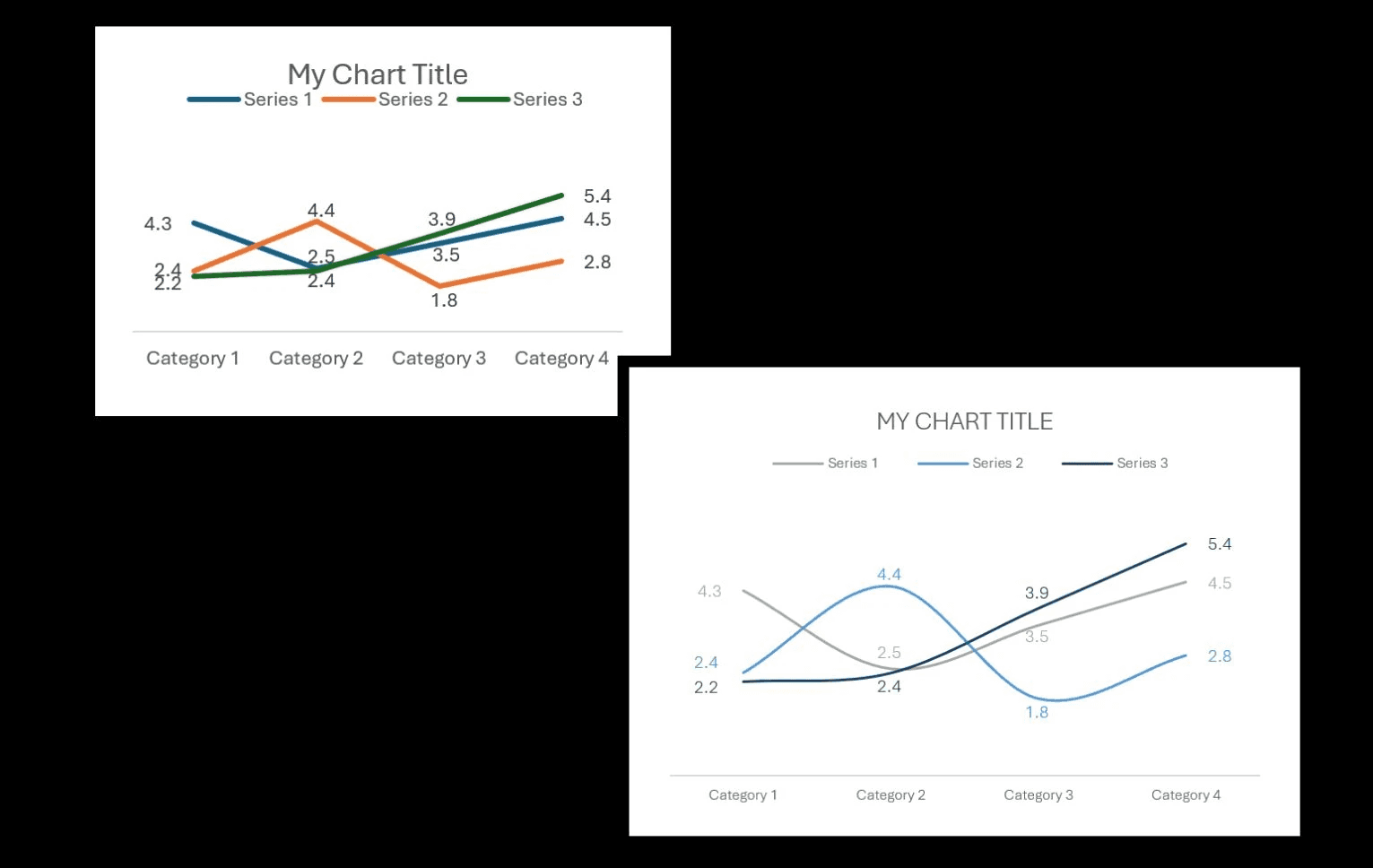
𝗘𝗮𝗰𝗵 𝗰𝗵𝗮𝗻𝗴𝗲 may seem 𝘀𝗺𝗮𝗹𝗹, but t𝗵𝗲 𝗿𝗲𝘀𝘂𝗹𝘁 𝗶𝘀 𝗯𝗶𝗴.
Small changes like these add up to an impactful result, your audience can easily scan the charts, see the data points clearly, and won't spend too much time or effort trying to decode what you're showing.
Try this out the next time you have too many charts in one page and let us know if it works for you.